
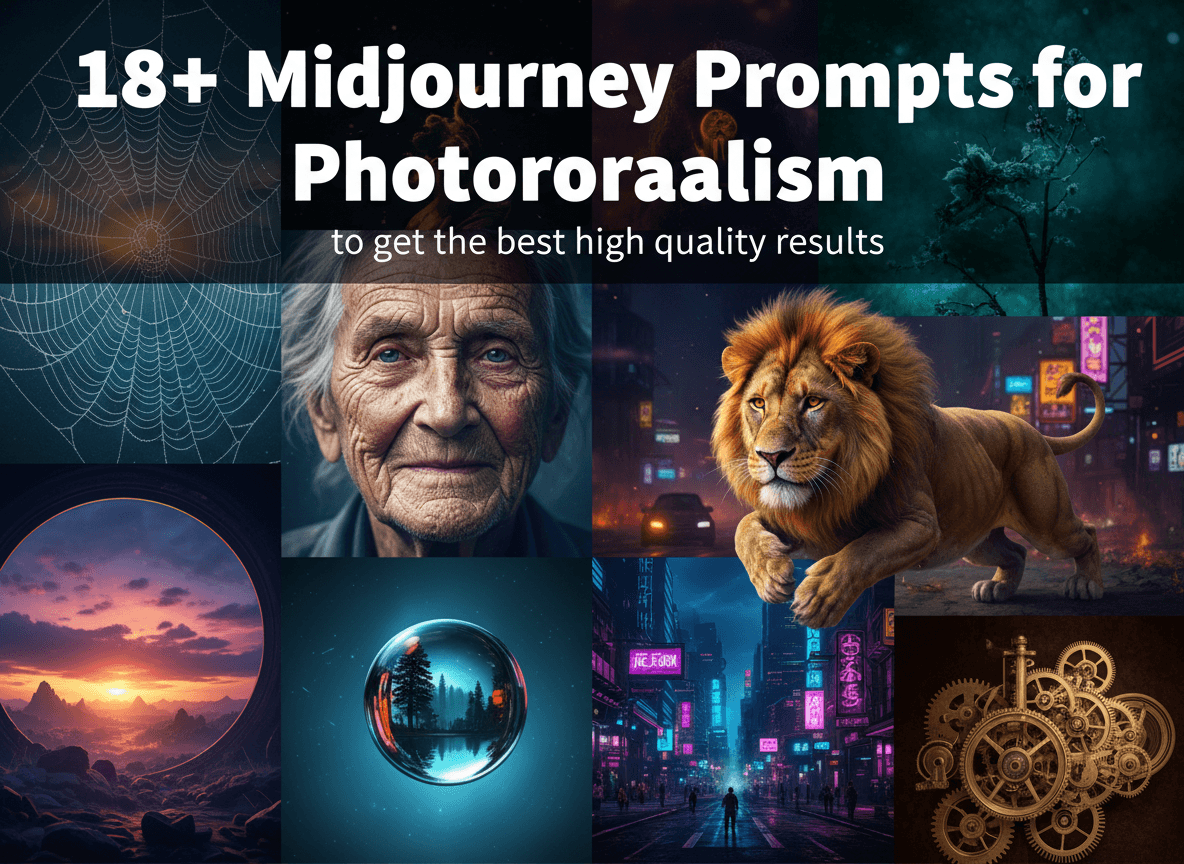
Achieving photorealism in Midjourney demands precision and an understanding of what makes an image truly believable. You want your AI generated visuals to look indistinguishable from real photographs. This requires going beyond simple descriptive words and diving into the nuances of photographic technique, lighting, and composition. Getting high quality, realistic results from Midjourney means treating your prompts like a photographer treats their camera settings and scene setup.
This guide provides you with a comprehensive set of prompts and strategies to generate stunningly realistic images. You will learn the core principles behind photorealistic prompting and discover practical examples you can use immediately.
What Makes an Image Photorealistic in AI Art?
Photorealism in AI generated art goes beyond simply depicting a subject. It involves capturing the intricate details, textures, and atmospheric qualities that define a real photograph. When you look at a truly photorealistic image, your brain does not immediately flag it as artificial. This illusion comes from several key elements:
- Exceptional Detail: Every surface, every strand of hair, every reflection needs to show minute detail. There are no blurry or generic areas.
- Accurate Lighting and Shadows: Light interacts with objects in predictable ways. Realistic images display correct highlights, midtones, and shadows, indicating the light source's direction, intensity, and color temperature.
- Believable Textures and Materials: Skin should have pores, fabric should show weave, metal should reflect light appropriately. The way materials interact with light is crucial.
- Depth of Field: A photographer uses aperture to control what is in focus and what is blurred. Emulating this shallow or deep focus creates a sense of spatial realism.
- Natural Imperfections: Real life is not perfect. Subtle flaws, dust, fingerprints, reflections, or slight motion blur can add authenticity.
- Composition and Framing: The way a scene is framed, the angle, and the overall composition mimic how a human photographer would capture an image.
- Atmospheric Effects: Fog, haze, rain, or dust can add immense realism, especially in outdoor scenes, by influencing light and visibility.
Midjourney, especially with its recent versions, has become incredibly capable of producing such nuanced images. By providing the right instructions, you guide the AI to focus on these critical photographic elements.
Foundational Principles for Realistic Midjourney Prompts
Mastering photorealism in Midjourney starts with understanding the building blocks of effective prompts. Each component plays a vital role in directing the AI towards the desired realistic output.
Specificity is Key
Generic descriptions yield generic results. You must describe every aspect of your subject, environment, and mood with meticulous detail. Instead of "a woman," specify "a young woman, 24 years old, with freckles, short curly red hair, looking directly at the camera, a soft, genuine smile." The more information you provide, the more precisely Midjourney can interpret your vision. Consider age, gender, ethnicity, facial features, clothing, expression, and any unique characteristics.
Master Lighting Conditions
Lighting is arguably the most important element for photorealism. It defines mood, highlights textures, and dictates shadows. Do not just say "good lighting." Specify the type, direction, intensity, and color temperature of the light.
- Examples: "natural afternoon sunlight streams through a window," "soft, diffused studio lighting," "harsh midday sun creating sharp shadows," "golden hour glow," "cinematic lighting," "overcast sky provides soft, diffused light," "three point lighting setup."
- Color Temperature: Mention "warm light" or "cool tones."
Emulate Camera Settings
To make an image look like it was captured by a real camera, describe the photographic equipment and settings. This tells Midjourney to render the image with the characteristics of professional photography.
- Camera Type: "Shot with a Sony A7 III," "Canon EOS R5," "Leica M6," "Hasselblad," "iPhone 15 Pro Max."
- Lens: "85mm f/1.4 lens," "50mm f/1.8," "wide angle lens," "macro lens."
- Aperture (Depth of Field): "Shallow depth of field" (blurry background), "deep depth of field" (everything in focus).
- Shutter Speed (Motion): "Fast shutter speed" (freeze motion), "slow shutter speed" (motion blur, light trails), "long exposure photograph."
- ISO/Film Stock: "ISO 100," "Kodak Portra 400 film," "Fujifilm Velvia."
- Other: "ND filter," "tripod shot."
Detail Textures and Materials
The tactile quality of objects is essential for realism. Describe how surfaces look and feel.
- Examples: "weathered face," "worn denim jacket," "mossy ground," "rusting machinery," "peeling paint," "intricate engravings," "transparent water," "smooth glass," "rough concrete."
- Think about reflections, sheen, and the effects of light on these surfaces.
Control Composition and Framing
How the image is composed influences its photographic quality.
- Angles: "eye level shot," "low angle," "high vantage point."
- Framing: "close up," "wide shot," "full body shot," "portrait orientation," "landscape orientation."
- Styles: "candid photograph," "editorial shot," "street photography style," "architectural photography," "food photography."
Incorporate Imperfections
Real life is not always perfect. Subtle imperfections can make an image more believable.
- Examples: "slight motion blur on their hands," "dusty air," "wear and tear," "tarnished metal," "subtle reflections," "a single loose thread."
- These details break the pristine, artificial look often associated with early AI art.
Use Negative Prompts Effectively
Tell Midjourney what you do not want to see. This is especially helpful for realism.
- Examples:
--no cartoon, illustration, drawing, painting, graphic, anime, CGI, blurry, low quality, distorted, surreal, abstract, unrealistic, text, watermark - Tailor negative prompts to the specific subject if certain unrealistic elements tend to appear.
Select the Right Midjourney Parameters
These parameters are crucial for pushing Midjourney towards photorealism.
--v 6.0or later: Always use the latest version for the best results in terms of realism and prompt comprehension.--style raw: This parameter minimizes Midjourney's default artistic stylization, allowing your prompt to have more direct control over the image.--ar(Aspect Ratio): Match common photographic aspect ratios like2:3(portrait),3:2(landscape),16:9(cinematic),1:1(square),4:5(common portrait print size).--s 0(Stylize): A low stylize value (0, 50, 100) often leads to more realistic outputs by reducing artistic interpretation.--c 0(Chaos): A low chaos value (0, 5) ensures consistency and reduces unexpected variations, which is good for predictable realism.
18+ Midjourney Prompts for Photorealism: Detailed Examples
Now, let us put these principles into practice with specific prompts. Each example comes with a detailed explanation of why it works and suggestions for variations.
Capturing Human Emotion and Detail (Portraits & People)
Human subjects are often the most challenging to render realistically. Focus on precise details, expressions, and authentic lighting.
-
A young woman, 24 years old, with freckles, short curly red hair, looking directly at the camera, a soft, genuine smile. Natural afternoon sunlight streams through a window, illuminating her face from the side, creating gentle shadows. Shallow depth of field, sharp focus on her eyes. Shot with a Sony A7 III, 85mm f/1.4 lens, ISO 100, 1/250s. Candid, high resolution photograph. --v 6.0 --ar 2:3 --style raw --s 0This prompt excels by providing specific details about the subject's age, features, and expression. The description of "natural afternoon sunlight streams through a window" and its effect "illuminating her face from the side, creating gentle shadows" is critical for believable lighting. Specifying "shallow depth of field, sharp focus on her eyes" mimics a professional portrait lens, directing Midjourney to blur the background realistically. Including camera model, lens, and exposure settings further reinforces the photographic aesthetic. The "candid" keyword helps avoid overly posed or artificial expressions.
Variations: Change the age, hair color, expression, or light source (e.g., "soft box lighting," "backlit by sunset"). Experiment with different camera and lens combinations to alter the look. Try a wider aperture like
f/1.2for an even shallower depth of field. -
Candid street photograph of an elderly man with a weathered face, wearing a worn denim jacket, sitting on a park bench. Overcast sky provides soft, diffused light. Background of bustling city life blurred. Gritty, realistic texture. Shot on a Leica M6, Kodak Portra 400 film. --v 6.0 --ar 3:2 --style raw --s 0This prompt focuses on character and environment. "Elderly man with a weathered face" emphasizes natural aging, adding realism. The "worn denim jacket" and "park bench" provide context and texture. "Overcast sky provides soft, diffused light" is a perfect description for even, natural lighting common in street photography. The blurred background maintains focus on the subject while hinting at the surroundings. Specifying a "Leica M6" and "Kodak Portra 400 film" evokes a classic, warm film aesthetic, complete with realistic grain and color tones.
Variations: Change the location to a market, bus stop, or coffee shop. Describe different clothing or accessories. Experiment with different film stocks like "Ilford HP5 Plus" for black and white, or "Fujifilm Superia" for different color shifts.
-
Professional studio portrait of a corporate executive, mid 40s, sharp suit, confident expression. Three point lighting setup, key light from the front, fill light to soften shadows, subtle rim light. Clean, minimalist background. High contrast black and white photograph. --v 6.0 --ar 4:5 --style raw --s 0Here, the emphasis is on controlled, professional imagery. "Mid 40s, sharp suit, confident expression" defines the subject. The "three point lighting setup, key light from the front, fill light to soften shadows, subtle rim light" is a highly technical instruction for Midjourney, replicating standard studio practice. A "clean, minimalist background" ensures the focus remains on the executive. "High contrast black and white photograph" adds a dramatic, timeless quality that often enhances realism by removing color distractions and emphasizing form and texture.
Variations: Change the subject's profession or age. Experiment with "low key lighting" for a darker, more dramatic feel, or "high key lighting" for a brighter, airy look. Try a different background color.
-
A child, 6 years old, covered in paint, laughing joyfully as they finger paint on a large canvas. Messy, authentic moment. Warm, bright light from a large window. Slight motion blur on their hands. Shot with a Canon EOS R5, 50mm f/1.8. --v 6.0 --ar 16:9 --style raw --s 0This prompt captures a dynamic, natural moment. "6 years old, covered in paint, laughing joyfully" conveys emotion and a specific, messy activity. The "warm, bright light from a large window" indicates a natural, inviting setting. "Slight motion blur on their hands" is a crucial detail that adds authenticity to the action, avoiding a frozen, unnatural pose. Including the "Canon EOS R5, 50mm f/1.8" suggests a standard portrait lens often used for capturing everyday life, contributing to the genuine feel.
Variations: Change the activity (e.g., "playing with toys," "eating ice cream"). Adjust the lighting (e.g., "overhead kitchen light," "backyard sunlight"). Vary the child's age or expression.
-
Fashion editorial shot of a model, mid 20s, striking a dramatic pose against a concrete wall. Harsh midday sun creating sharp shadows and highlights on designer clothing. Slight wind blowing hair. High fashion aesthetic, editorial quality. Shot on a Hasselblad X1D II 50C, 100mm f/2.8 lens. --v 6.0 --ar 1:1 --style raw --s 0This prompt aims for a specific high fashion, commercial look. "Mid 20s, striking a dramatic pose against a concrete wall" sets the scene. "Harsh midday sun creating sharp shadows and highlights" is a bold lighting choice that defines the dramatic aesthetic, emphasizing texture and form. "Slight wind blowing hair" adds dynamic movement and naturalness. The "Hasselblad X1D II 50C" and "100mm f/2.8 lens" indicate a medium format camera, known for its exceptional detail and shallow depth of field, which is perfect for high end fashion photography.
Variations: Alter the background (e.g., "urban rooftop," "baroque interior"). Change the lighting to "softbox studio lighting" or "golden hour." Describe specific clothing or accessories.
Immersive Natural and Urban Environments (Landscapes & Scenes)
Creating realistic environments involves depicting atmospheric conditions, natural elements, and the interplay of light and shadow on a larger scale.
-
Majestic mountain range at sunrise, fog clinging to the peaks, golden light illuminating the highest points. Crystal clear alpine lake reflecting the mountains perfectly. Crisp, detailed foreground rocks and trees. Wide angle landscape photograph. --v 6.0 --ar 21:9 --style raw --s 0This prompt uses vivid descriptive language for a grand landscape. "Majestic mountain range at sunrise, fog clinging to the peaks" sets a dramatic, atmospheric scene. "Golden light illuminating the highest points" specifies the exact quality of light, which is crucial for dawn photography. The "crystal clear alpine lake reflecting the mountains perfectly" adds a strong element of visual interest and realism, requiring accurate reflection rendering. "Crisp, detailed foreground rocks and trees" ensures depth and sharpness throughout the scene, as would be captured by a wide angle lens.
Variations: Change time of day (e.g., "sunset," "midday with harsh shadows"). Alter weather conditions (e.g., "snow covered mountains," "stormy clouds"). Experiment with different seasons.
-
Dense rainforest interior, dappled sunlight filtering through a thick canopy, creating patches of light on wet, mossy ground. Exotic plants with detailed leaves and textures. Humid atmosphere, slightly blurred background. Macro perspective on a specific fern. Shot on a Fujifilm GFX 100S, 120mm macro lens. --v 6.0 --ar 3:4 --style raw --s 0This prompt focuses on the intricate beauty of a rainforest. "Dense rainforest interior, dappled sunlight filtering through a thick canopy" is a key instruction for light interaction within the environment. "Wet, mossy ground" and "detailed leaves and textures" emphasize the rich materiality. "Humid atmosphere" adds a sensory detail that contributes to overall realism. The "macro perspective on a specific fern" with a "Fujifilm GFX 100S, 120mm macro lens" provides instructions for an extreme close up, revealing minute natural patterns often missed in wider shots.
Variations: Focus on different elements like "intricate fungi," "brightly colored insect," or "rain droplets on leaves." Change the light (e.g., "overcast day, soft even light").
-
Powerful ocean waves crashing against jagged cliffs during a storm. Dark, dramatic clouds overhead. Sea spray rising high into the air, water droplets visible. Long exposure photograph to show movement of water. Shot with a Nikon Z7 II, 24-70mm lens, ND filter. --v 6.0 --ar 16:9 --style raw --s 0This prompt describes a dynamic and powerful scene. "Powerful ocean waves crashing against jagged cliffs during a storm" sets a wild, energetic tone. "Dark, dramatic clouds overhead" and "sea spray rising high into the air, water droplets visible" add atmospheric realism and detail to the water. The instruction "Long exposure photograph to show movement of water" is a technical directive for a specific photographic effect, resulting in blurred, flowing water that contrasts with the static elements. Including "Nikon Z7 II, 24-70mm lens, ND filter" further solidifies the photographic intention.
Variations: Change the weather (e.g., "calm sunrise," "sunny afternoon"). Focus on a different part of the coastline (e.g., "sandy beach," "rocky shore"). Experiment with different shutter speeds to control water motion.
-
A bustling street market in Marrakech, Morocco. Sunlight illuminating colorful spices and textiles. Merchants and customers interacting, candid moments. Blurred movement in the background. Warm, inviting atmosphere. Shot on an iPhone 15 Pro Max, street photography style. --v 6.0 --ar 3:2 --style raw --s 0This prompt brings a vibrant cultural scene to life. "Bustling street market in Marrakech, Morocco" provides a specific, rich setting. "Sunlight illuminating colorful spices and textiles" highlights key visual details and their interaction with light. "Merchants and customers interacting, candid moments" focuses on authentic human activity rather than posed figures. "Blurred movement in the background" is a common effect in street photography, giving a sense of depth and activity while keeping the main subjects sharp. The "iPhone 15 Pro Max, street photography style" parameter suggests a modern, accessible, yet high quality capture.
Variations: Change the market location (e.g., "Tokyo fish market," "European Christmas market"). Focus on specific vendors or products. Adjust the time of day for different lighting.
-
Abandoned industrial factory interior, overgrown with vines and moss. Broken windows allowing shafts of light to penetrate the dusty air. Rusting machinery, peeling paint, decaying concrete structures. Eerie, atmospheric, forgotten aesthetic. Wide angle shot, low light photography. --v 6.0 --ar 16:9 --style raw --s 0This prompt creates a sense of decay and history. "Abandoned industrial factory interior, overgrown with vines and moss" immediately sets the scene. "Broken windows allowing shafts of light to penetrate the dusty air" is a powerful visual for atmosphere and realistic light interaction with particles. Descriptions like "rusting machinery, peeling paint, decaying concrete structures" provide rich textural details crucial for realism in an aged environment. "Eerie, atmospheric, forgotten aesthetic" establishes the mood. "Wide angle shot, low light photography" indicates the compositional and technical approach.
Variations: Change the type of abandoned structure (e.g., "old mansion," "forgotten hospital"). Alter the time of day for different light effects (e.g., "moonlight streaming through").
Everyday Objects and Intricate Details (Still Life & Product)
For still life and product photography, precision in arrangement, material rendering, and lighting are paramount.
-
A perfect gourmet burger on a rustic wooden board, melted cheese dripping, fresh lettuce, tomato, and a perfectly grilled patty. Golden crispy fries in a small metal basket beside it. Soft, directional studio lighting from above. Shallow depth of field, sharp focus on the burger. Food photography. --v 6.0 --ar 1:1 --style raw --s 0This prompt targets commercial food photography. "Perfect gourmet burger," "melted cheese dripping," "fresh lettuce, tomato, perfectly grilled patty" are highly specific and appealing food details. "Golden crispy fries in a small metal basket" adds a complementary element. "Soft, directional studio lighting from above" is the standard for professional food shots, highlighting textures without harshness. "Shallow depth of field, sharp focus on the burger" ensures the food is the star, with realistic background blur.
Variations: Change the food item (e.g., "slice of rich chocolate cake," "steaming cup of coffee with latte art"). Experiment with different backgrounds (e.g., "dark marble counter," "linen tablecloth").
-
Close up product shot of a high end, matte black smartphone, perfectly clean, resting on a minimalist white marble surface. Studio lighting highlighting its sleek edges and screen. No reflections, subtle shadows. Sharp focus, high resolution. --v 6.0 --ar 9:16 --style raw --s 0This prompt aims for pristine product realism. "Close up product shot of a high end, matte black smartphone, perfectly clean" sets a meticulous standard. "Minimalist white marble surface" provides a clean, elegant backdrop. "Studio lighting highlighting its sleek edges and screen" and "No reflections, subtle shadows" are critical instructions for controlling light and avoiding distractions, common goals in professional product photography. "Sharp focus, high resolution" ensures every detail is crisp.
Variations: Change the product (e.g., "luxury watch," "designer perfume bottle," "wireless earbuds"). Alter the material (e.g., "polished wood," "brushed aluminum"). Change background color or texture.
-
Vintage antique pocket watch, brass casing with intricate engravings, showing signs of age and wear, tarnished metal. Resting on a dark velvet cloth, illuminated by a single spotlight from above, creating dramatic shadows. Macro photography. --v 6.0 --ar 4:3 --style raw --s 0This prompt delves into the details of an aged object. "Vintage antique pocket watch, brass casing with intricate engravings" provides a rich subject. "Showing signs of age and wear, tarnished metal" are crucial for historical authenticity and texture. "Resting on a dark velvet cloth" adds a luxurious, contrasting background. "Illuminated by a single spotlight from above, creating dramatic shadows" is a strong lighting instruction that emphasizes the object's form and texture, perfect for macro.
Variations: Change the antique object (e.g., "old compass," "vintage camera," "fountain pen"). Experiment with different light sources (e.g., "soft diffused window light").
-
A dewdrop perched precariously on a spiderweb, intricate strands of silk visible, reflecting the morning light. Green bokeh background of leaves. Extreme macro photography, natural light. --v 6.0 --ar 1:1 --style raw --s 0This prompt focuses on tiny, delicate natural details. "A dewdrop perched precariously on a spiderweb, intricate strands of silk visible" highlights the fragility and complexity of the subject. "Reflecting the morning light" adds a magical, realistic glint. "Green bokeh background of leaves" clearly instructs for a blurred, colorful backdrop, typical of macro photography with a shallow depth of field. "Extreme macro photography, natural light" further refines the photographic style and lighting.
Variations: Focus on different macro subjects (e.g., "insect on a flower," "frost pattern on a window"). Change the background color or pattern.
Architectural Authenticity and Interior Ambiance (Buildings & Spaces)
For architecture, accuracy in structure, material rendering, and how light fills a space are critical for realism.
-
Modern minimalist living room interior, floor to ceiling windows showing a vibrant city view. Natural light filling the room, casting soft shadows. Light wood floors, white walls, comfortable grey sofa, a single green plant. Clean lines, inviting atmosphere. Architectural photography. --v 6.0 --ar 16:9 --style raw --s 0This prompt creates a stylish and believable interior scene. "Modern minimalist living room interior, floor to ceiling windows showing a vibrant city view" sets the contemporary design and opens up the space. "Natural light filling the room, casting soft shadows" accurately describes how light behaves in such a setting. Detailing elements like "Light wood floors, white walls, comfortable grey sofa, a single green plant" provides specific decor that defines the minimalist aesthetic. "Clean lines, inviting atmosphere" summarizes the desired feeling, while "Architectural photography" defines the style.
Variations: Change the interior design style (e.g., "rustic farmhouse kitchen," "classic library"). Alter the view outside the window (e.g., "forest," "ocean"). Adjust the time of day for different lighting.
-
Ancient Roman ruins, coliseum in Italy, late afternoon sun casting long shadows through the arches. Detailed stone texture, crumbling masonry, historical accuracy. A few tourists in the background for scale, subtly blurred. Travel photography. --v 6.0 --ar 3:2 --style raw --s 0This prompt brings a historical landmark to life. "Ancient Roman ruins, coliseum in Italy" pinpoints a famous, recognizable structure. "Late afternoon sun casting long shadows through the arches" is a superb lighting instruction that adds drama, depth, and a sense of time. "Detailed stone texture, crumbling masonry, historical accuracy" are vital for rendering the age and realism of the ruins. "A few tourists in the background for scale, subtly blurred" adds human presence and depth without distracting from the main subject, a common technique in travel photography.
Variations: Change the historical site (e.g., "Pyramids of Giza," "Machu Picchu"). Experiment with "dawn light" or "overcast sky." Focus on a specific detail of the architecture.
-
Cozy rustic cabin interior, roaring fireplace casting warm orange glow. Wooden beams, sheepskin rug, comfortable armchairs. Window showing snowy landscape outside. Warm, inviting, hygge aesthetic. Low light photography. --v 6.0 --ar 4:3 --style raw --s 0This prompt evokes a specific cozy atmosphere. "Cozy rustic cabin interior, roaring fireplace casting warm orange glow" immediately establishes the setting and its primary light source. "Wooden beams, sheepskin rug, comfortable armchairs" provide tactile and visual details that enhance the rustic feel. "Window showing snowy landscape outside" adds contrast and depth, indicating the environment outside. "Warm, inviting, hygge aesthetic. Low light photography" perfectly encapsulates the desired mood and photographic approach, where shadows and warm tones dominate.
Variations: Change the external view (e.g., "autumn forest," "rainy lake"). Alter the decor (e.g., "modern mountain cabin," "fishing lodge").
-
Urban cityscape at dusk, neon lights reflecting on wet asphalt after a rain shower. Tall skyscrapers, busy street with car taillights streaking. Moody, atmospheric, cyberpunk aesthetic. Shot from a high vantage point. --v 6.0 --ar 16:9 --style raw --s 0This prompt captures the dynamic energy of a city at night. "Urban cityscape at dusk, neon lights reflecting on wet asphalt after a rain shower" is a highly effective combination of time, weather, and light effects that creates stunning visuals. "Tall skyscrapers, busy street with car taillights streaking" adds architectural scale and dynamic movement through light trails, a classic long exposure technique. "Moody, atmospheric, cyberpunk aesthetic" defines the overall tone. "Shot from a high vantage point" provides a broad, encompassing view.
Variations: Change the city (e.g., "Tokyo," "New York"). Experiment with "foggy night" or "early morning mist." Focus on a specific street level view.
Advanced Techniques for Unrivaled Realism (Bonus Prompts)
To further push the boundaries of realism, consider these advanced concepts.
-
A hyperrealistic rendering of a single water droplet hitting a clear, still surface, creating a perfect crown splash. Slow motion photography, extreme detail, transparent water, black background. Shot with a high speed camera, diffused studio lighting. --v 6.0 --ar 16:9 --style raw --s 0This prompt targets a highly technical and difficult scene to capture in real life, pushing AI to its limits. "Hyperrealistic rendering of a single water droplet hitting a clear, still surface, creating a perfect crown splash" is incredibly specific about the action and desired outcome. "Slow motion photography, extreme detail, transparent water" emphasizes the precise physical properties. "Black background" ensures no distractions. "Shot with a high speed camera, diffused studio lighting" provides the technical context for this type of specialized photography.
Variations: Experiment with different liquid colors or viscosities. Change the background to a contrasting color. Add subtle ripples or textures to the still surface.
-
An astronaut standing on Mars, a vast, desolate red landscape stretching into the distance. Earth visible as a tiny blue marble in the dark sky. Realistic spacesuit, detailed Martian rock formations. Cinematic, epic scale. Shot with a Hasselblad. --v 6.0 --ar 21:9 --style raw --s 0This prompt applies photorealism to a sci fi scenario. "Astronaut standing on Mars, a vast, desolate red landscape stretching into the distance" sets an iconic scene. "Earth visible as a tiny blue marble in the dark sky" adds a poignant, realistic detail that enhances the vastness. "Realistic spacesuit, detailed Martian rock formations" ensures the hardware and environment are believable, even if otherworldly. "Cinematic, epic scale" dictates the composition and emotional tone, while specifying a "Hasselblad" camera suggests a high fidelity, professional grade image.
Variations: Change the planet or celestial body. Alter the astronaut's pose or activity. Introduce a vehicle or structure into the Martian landscape.
Refining Your Photorealistic Creations
Generating high quality photorealistic images with Midjourney is often an iterative process. You rarely get a perfect image on the first try.
- Analyze Your Results: Look critically at the images Midjourney generates. What aspects are realistic? What looks artificial? Identify specific elements that need improvement, such as lighting, texture, or composition.
- Iterate and Refine: Make small, targeted adjustments to your prompt. If the lighting is off, try more descriptive terms for the light source. If textures are lacking, add more adjectives. You can use Midjourney's Vary Region feature to regenerate specific parts of an image.
- Experiment with Parameters: Adjust
--sand--cvalues slightly. Try different aspect ratios to see how they impact composition. - Leverage Negative Prompts: If Midjourney keeps adding unwanted artistic flares or unrealistic elements, bolster your negative prompt list. For example,
--no blurry, cartoon, illustration, painting, art, CGIis a strong starting point. - Study Real Photography: Pay attention to how professional photographers capture realism. Observe their use of light, depth of field, composition, and detail in various genres. This will inspire more effective prompts.
Consistency and patience are key. Each iteration brings you closer to your desired photorealistic outcome.
Enhance Your AI Art Business with AIPromptHub
Creating stunningly photorealistic images with Midjourney is a valuable skill, especially if you aim to build an AI driven business. High quality AI art has numerous applications, from digital products and marketing materials to custom prints and design assets.
AIPromptHub.ai provides a comprehensive toolkit to support your journey from idea to income. As you refine your skills in generating photorealistic art, you can use AIPromptHub's free AI prompt engineering tools, such as the AI Prompt Generator and AI Prompt Optimizer, to further enhance the precision and quality of your Midjourney prompts. These tools help you explore new prompt variations and fine tune existing ones for even better, more consistent results.
For entrepreneurs and creators looking to scale their AI ventures, AIPromptHub offers premium digital products with Master Resell Rights (MRR). Imagine generating breathtaking, realistic images with your refined Midjourney skills, then having access to vast collections like the "50,000+ AI Mega Prompt Bundle" or "20,000+ Nano Banana AI Art Prompts," all with MRR. This allows you to not only create incredible art for your own projects but also to resell these prompt bundles, building a passive income stream. By integrating your photorealistic image creation abilities with AIPromptHub's resources, you establish a solid foundation for earning income through AI driven ventures.
Conclusion: Your Journey to Midjourney Photorealism
Achieving photorealism in Midjourney is an exciting and rewarding endeavor. It moves beyond simple image generation to truly replicating the nuanced beauty of the real world through AI. You now have a clear understanding of the foundational principles—specificity, masterful lighting, camera emulation, and detailed textures—that make images truly believable.
The 18+ prompts and their detailed explanations provide a powerful starting point for your own creations. Remember that consistency, iteration, and a keen eye for detail are your best allies. Practice applying these techniques, experiment with variations, and observe how each element in your prompt influences the final outcome. With diligent application, you will consistently generate high quality, photorealistic images that captivate and impress. Start creating today and bring your visions to life with unparalleled realism.